How to play Dream Tour
Free to play in your browser - no install, no download.
Play now ▶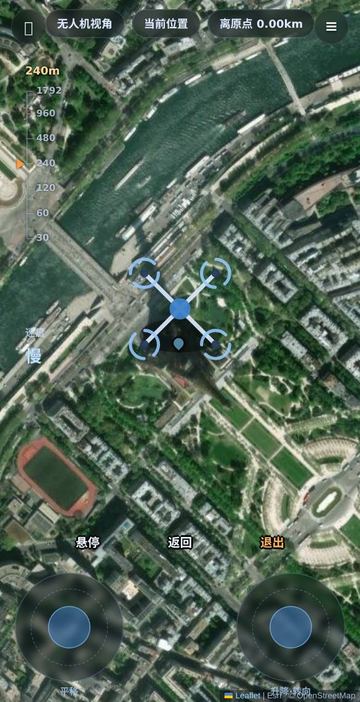
Dream Tour is a rehearsal for a trip you have not taken yet. Put a pin anywhere on the map - a hotel you might book, a beach, a neighbourhood you have only heard of - and the page gathers real places within about 1.5 km, sorted into stays, food, sights, cafes and shopping and shown as coloured dots. Then walk through a pretend day there: each place you pick moves the day's clock forward by the walking time plus a 45-minute stop.
There is nothing to win or lose - no points, no time limit, no finish line. For a wider look, fly over the area by drone, or take a jet or helicopter flight between world cities on the same map. Up to four friends can share one map and see each other's drones.
How to play
- On opening, the page asks for your location. Allow it and the map jumps to you and the drone view starts once. Otherwise, use the magnifier at the top left to search a place name, or tap the map yourself.
- Tap the map to move the pin. The bottom sheet shows the area's name and coordinates with two buttons: 现在这一刻 (right now) or 出发那天 (another day: today, tomorrow, in three days, one week or two weeks).
- The sheet has four tabs: 为你 (three to five picks, each with a reason such as walking time and opening hours), 周边 (everything nearby, filterable), 收藏 (saved places) and 足迹 (where you have been today).
- Tap 开始这一天 to start the day. Up to four suggestion cards appear, based on the time of day, the estimated weather, how hungry you are and distance. Tap one to go - or tap any dot on the map, then 去这里 (go here).
- The ≡ button at the top right opens the tools: drone, flight mode, satellite view, favourites, sharing, ask-AI and 一起逛 (explore together).
Controls
| Action | How |
|---|---|
| Move the pin | Tap the map |
| Search | Magnifier button, type a place name, press Enter; coordinates also work |
| Place details | Tap a coloured dot or a list item: name, walking time, open or closed, 去这里 / 问AI |
| Bottom sheet | Swipe up to expand, swipe down to fold; tap the tabs to switch |
| Drone: move | Left stick (平移) slides the view |
| Drone: height and turn | Right stick (升降·转向); pinch with two fingers to change height |
| Drone: buttons | 悬停 hold position, 返回 back to the starting point, 退出 exit; tap the map for hotel/food chips |
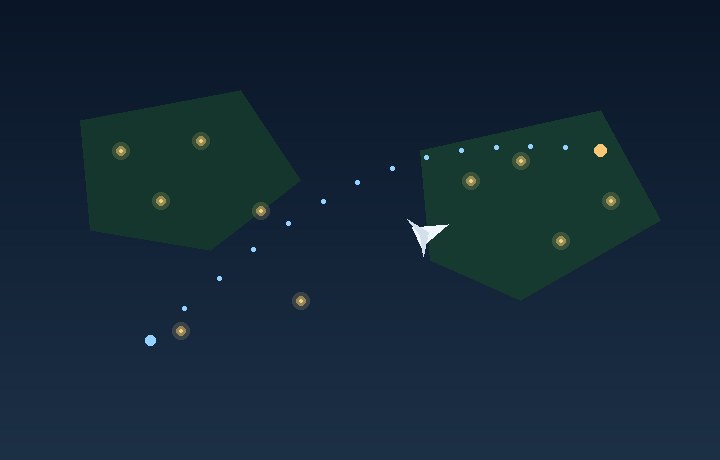
| Flight mode (航班) | ▲▼ pitch, ◀▶ turn, 减速 / 加速 speed, 直升机 helicopter, 返航 return to course, 退出 exit |
Rules
- Nothing is scored. Visiting a place only moves the day's clock forward (walking time plus 45 minutes) and adds it to your trail.
- Walking time is counted at 4.5 km/h. Anything over 60 minutes on foot is shown as a distance in km instead.
- Opening hours and the weather are estimates to shape the suggestions, not a live forecast or an official timetable - check real details before an actual trip.
- The drone flies from 30 m up to about 1,790 m; 返回 brings it back to the start point at 240 m.
- 一起逛: one person taps 创建房间 (create room) and gets a four-character room code; friends type the code and tap 加入房间 (join). Up to four people share the map, each flying their own drone, with a small chat.
Tips
- 现在这一刻 starts the day at the current time; 出发那天 starts at 8:00 in the morning. As the clock moves into the evening, suggestions shift toward food, night markets and bars, and sights close to sunset move up the list.
- If the 为你 list feels repetitive, switch to 周边 and filter by 住宿, 美食, 景点, 咖啡 or 购物.
- Tap 分享 to copy a read-only link to your picks or to make a picture of them.
FAQ
Is this a scored challenge?
No. It is a calm preview tool with no points, levels or time pressure.
Do I have to share my location?
No. Location only centres the map at the start. You can search or tap the map instead.
Where does the place list come from?
On this site the map and nearby places come from OpenStreetMap-based services, within about 1.5 km of your pin.
What language is the screen in?
Chinese. The main buttons are explained on this page, and you can type place names into the search box.
Can friends join me?
Yes. Create a room in 一起逛, share the four-character code, and up to four people can explore the same map together.
 World Flight
 Farside