How to play World Flight
Free to play in your browser - no install, no download.
Play now ▶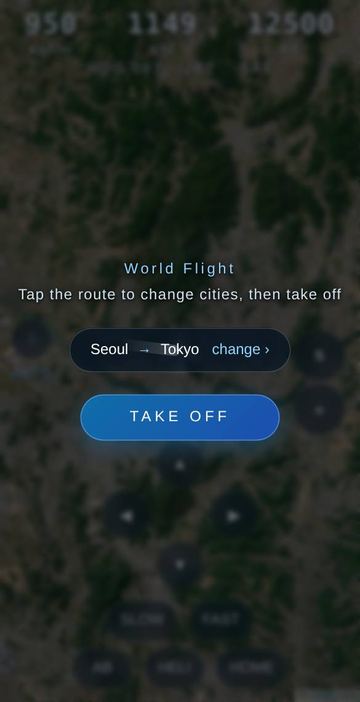
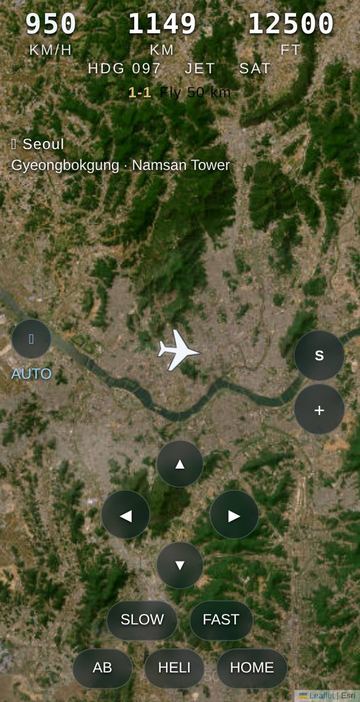
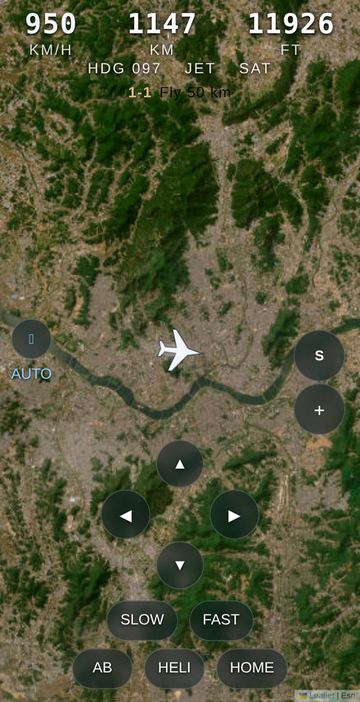
World Flight is a quiet flight over the real planet. You choose a departure city and a destination from a list of 36 - Seoul, Tokyo, Reykjavik, Cape Town, Buenos Aires, Auckland and more - and then fly the whole way yourself over a live satellite map. The plane sits in the middle of the screen and the ground slides underneath it, so the coastlines, deserts and mountain ranges you cross are the real ones along your great-circle route.
There is no score, no crash and no clock to race. When you get within 14 km of the destination the flight ends with an "Arrived" card that simply shows the route length and how long you took. Along the way, whenever you pass within about 38 km of one of the cities, its name and one or two landmarks - Namsan Tower, the Eiffel Tower, the Golden Gate - fade in at the top left for a few seconds.
How to play
- On the opening screen, tap the route chip (it starts as Seoul -> Tokyo) to open the route panel. Pick a "From" city, then a "To" city; each row shows its distance from the other end, and you can search by name or tap "Swap".
- Tap TAKE OFF. You start at 12,500 ft and 950 km/h, already pointed at the destination.
- Hold up or down to pitch the nose and change altitude. Climbing pulls the map back so you see more of the region; dropping low brings the ground in close.
- Hold left or right to bank. Let go and the plane keeps its new heading.
- If a red "km off route" note appears (more than 8 km from the great-circle line), tap HOME and the nose turns back toward the destination on its own.
- Fly until you reach the destination, then tap "Fly again" to choose a new route.
Controls
| Action | How |
|---|---|
| Climb / descend | Hold the up or down arrow button, or the Up / Down arrow keys |
| Turn | Hold the left or right arrow button, or the Left / Right arrow keys |
| Cruise speed | FAST / SLOW buttons, or W / S keys (110 km/h per step for the jet) |
| Afterburner | Hold AB, or hold Space |
| Back on course | Tap HOME |
| Jet / helicopter | Tap the HELI button (tap again for JET) |
| Zoom | Pinch with two fingers or use the mouse wheel; tap the target icon to return to automatic zoom |
| Satellite / street map | Tap the map letter button, or choose in the Menu |
| Tilt trim | Menu > Motion trim: Off, Low, Mid or High - tilt the phone to fine-tune altitude |
Rules
- Altitude runs from 400 ft to 48,000 ft; the higher you are, the wider the map view.
- The jet cruises between 520 and 2,400 km/h. Afterburner raises your set speed by 55% while held, then falls back.
- The helicopter cruises between 60 and 320 km/h and turns about twice as quickly, which makes low sightseeing easier.
- Speed is shown in colour: teal under 500 km/h, white under 1,100, orange under 1,800, red above that.
- Nothing can go wrong: there is no fuel, no stall and no crash. Arrival is any point within 14 km of the destination city.
Tips
- For landmarks, stay low - a few thousand feet - and switch to the helicopter as you approach a city.
- Long routes such as Reykjavik to Sydney are good at high altitude and full speed; the map pulls far back and you can watch whole continents pass.
- Open Menu > Lessons for six optional sets of small goals (Basics, Route, Altitude, Speed, Cities, World), such as climbing to 45,000 ft or passing 20 cities. They are practice goals, not a ranking.
- The street map view is handy for reading place names; the satellite view is prettier.
FAQ
Is this a race or a score chase?
No. There are no points and no time limit. The arrival card only tells you the distance and your flight time.
How many cities can I fly between?
36 cities across Asia, Europe, Africa, the Americas and Oceania. Any two can be paired.
Do I need to install or sign in?
No. It runs in the browser on phone or computer.
What languages does it support?
English, Korean and Chinese. On this site it opens in English; add ?lang=ko to the address for Korean.
Can I play with a keyboard?
Yes: arrow keys to pitch and turn, W and S for speed, and Space for afterburner.
 Dream Tour
 Farside