How to play Farside
Free to play in your browser - no install, no download.
Play now ▶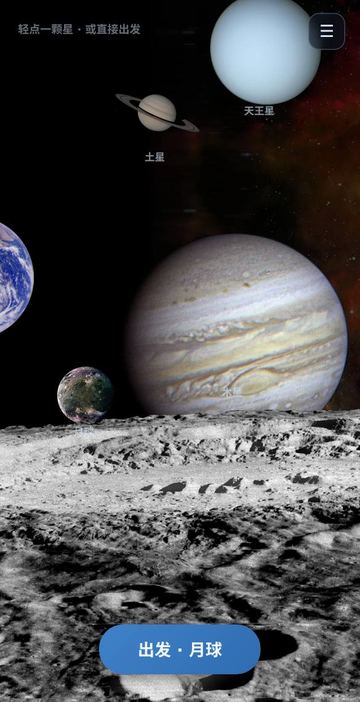
Farside is a slow, look-around trip through the solar system. Its nine destinations are the Moon, Mercury, Venus, Mars, Jupiter, Saturn, Uranus, Neptune and the Sun, and every trip uses one real speed: 39,000 km/h, about how fast the Apollo missions left Earth. Distances are worked out from today's date and the planets' orbits, so Mars can be close one season and far away the next.
Nothing can be lost or won: no score, no crash, no game over. You cross the gap on a time-lapse clock and arrive to a view built from space photographs - Earth rising over the lunar horizon, Mars slowly turning, Saturn's rings, Neptune with Triton, the surface of the Sun. On four worlds you can also land.
How to play
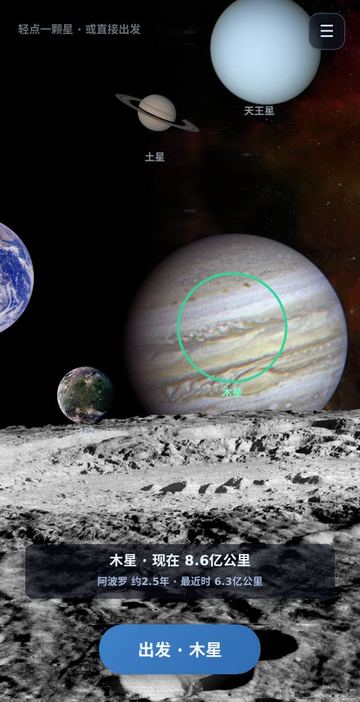
- The opening screen is a montage of the planets. Tap Uranus, Saturn, Jupiter or the Moon to select it (a green ring appears), or tap the list icon at the top right for all nine, sorted by current distance. With nothing selected, the start button picks whatever is nearest today.
- Tap the start button ("出发" plus the destination name) and the voyage begins.
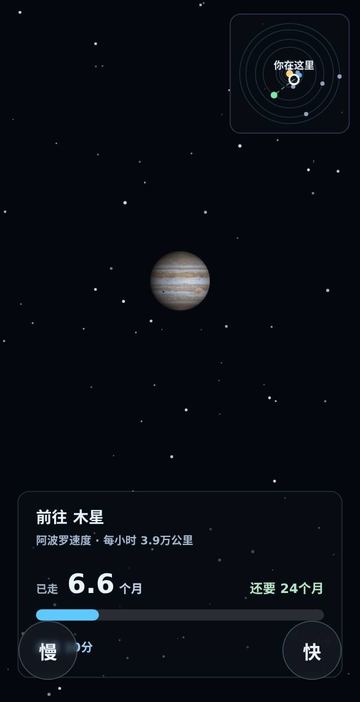
- The bottom panel shows days travelled, days left, a progress bar and the radio delay from Earth. A small solar-system map at the top right marks where you are.
- 慢 (slow) and 快 (fast) change the time-lapse; the starting rate is chosen so most trips take under a minute of real time.
- On arrival, tap the screen to hide or show the text; slow and fast change how quickly the scene moves.
- If a 着陆 (land) button appears, tap it to go down to the surface. ‹ 返回 goes back one step at any time.
Controls
| Action | How |
|---|---|
| Choose a destination | Tap a planet in the montage, or the list icon at top right |
| Time-lapse speed | 慢 / 快 buttons: stop, 1 hour, 1 day, 1 week, 1 month, 1 year or 10 years per second |
| Point the ship | Drag on the screen during the voyage (left/right rolls and turns, up/down pitches) |
| Hide or show text | Tap the screen; tap the mini map to enlarge it |
| Land | 着陆 button, on the Moon, Venus, Mars and Jupiter |
| Surface ride: steer / brake / jump | Drag left or right; hold 刹车 to brake; tap 跳跃 to jump |
| Mars helicopter: fly / height / hover | Drag to fly; 高度 - short press descends, hold to climb; hold 悬停 to stop in place |
Rules
- Distances: the Moon is always 384,400 km away; planets use a circular-orbit model counted from 2000; the Sun is set at 1 AU.
- Steering is optional. Turning the nose away from the target slows progress and uses a little fuel; with an empty tank you still arrive, only later. An orange arrow points to the planet when it leaves the screen.
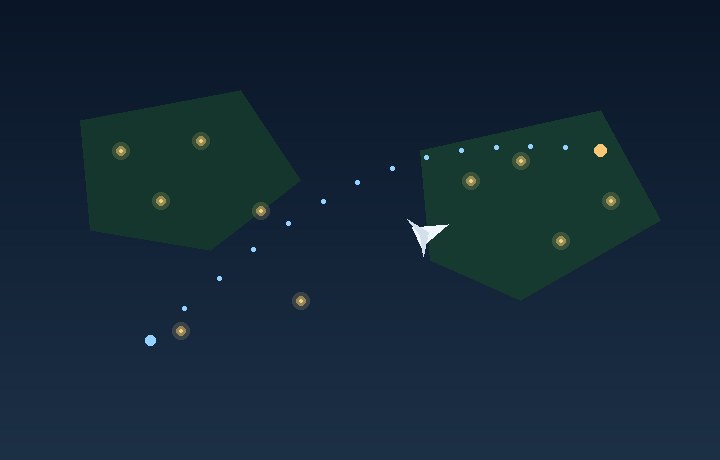
- Landing on the Moon, Venus or Jupiter starts a surface ride along a trail; leaving it slows you down and tints the screen edges red. Jumps follow local gravity - 0.17 g on the Moon, 0.90 g on Venus, 2.53 g on Jupiter - so Moon jumps are long.
- On Mars you fly a small helicopter over one of nine terrains (plain, bend, narrows, split valley, scarp, crater, fork, slope, dunes), 20 to 300 m above the ground at 0.38 g. The edge of the area gently turns you back.
- Mercury, Saturn, Uranus, Neptune and the Sun are for watching only.
Tips
- Open the list before leaving: it shows each planet's distance now and its closest possible distance.
- Try the Moon first: about ten hours at Apollo speed, and the arrival view of Earth rising slowly pans across the sky.
- In the helicopter, fly low for a close view of the ground; your shadow spreads and fades as you climb.
FAQ
Is there a score or a way to lose?
No. There are no points, timers or failure; even without fuel you still arrive.
Are the distances real?
Approximately: real orbital periods and sizes, placed on circular orbits for today's date. The Moon uses its average distance.
What language is the screen in?
Chinese. Key buttons: 出发 start, 慢 slow, 快 fast, 着陆 land, 返回 back.
Can I play on a computer?
Yes. Click to select and drag to steer with the mouse. There are no keyboard shortcuts.
Where can I land?
On the Moon, Venus and Jupiter you ride along the surface; on Mars you fly a helicopter over nine terrains.
 World Flight
 Dream Tour