How to play Clay Shooting
Free to play in your browser - no install, no download.
Play now ▶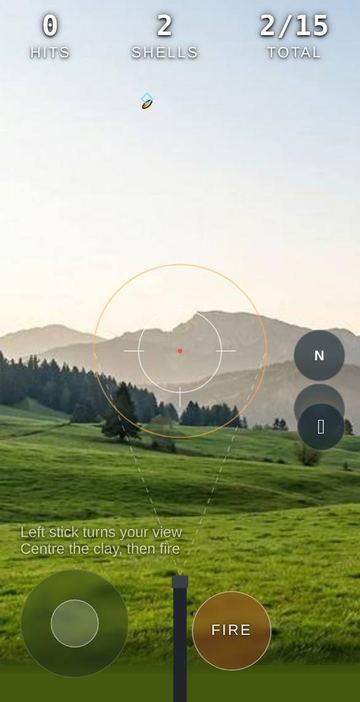
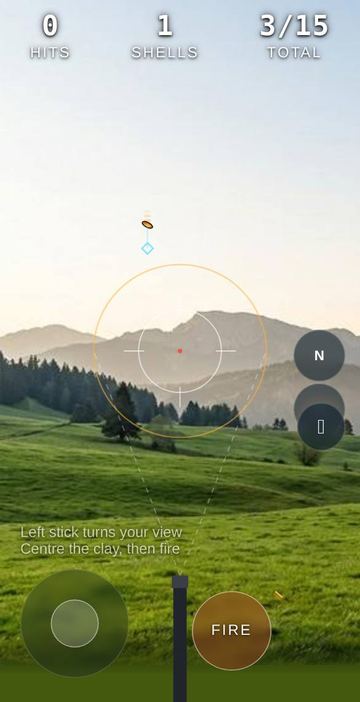
Clay Shooting puts you on an open range with a shotgun and two hunting dogs at your feet. Clays launch from a trap just in front of you and rise away from you in a gentle arc, getting smaller as they go. Each one stays in the air for about two and a half seconds, so every target is a short window rather than a reflex test.
You can shoot on three grounds, each a full panoramic photo you can turn around in: Alps, Bay and Plateau. The crosshair stays fixed in the centre of the screen and you move the world around it. There is no timer and no opponent, just you, one round of clays and your hit rate at the end.
How to play
- The round starts right away. The counter at the top shows HITS, SHELLS left for the current clay, and TOTAL clays thrown out of the round.
- Use the stick at the bottom left to turn your view. It turns a full 360 degrees left and right, and up and down within a limited range.
- When a clay comes near the crosshair, corner brackets appear around it and close in. Once they turn gold and show LOCK, press FIRE at the bottom right.
- You have two shells for each clay. If a clay drops without being hit, it counts as a miss and the next one follows shortly after.
- If a clay is outside your view, a gold arrow at the left or right edge of the screen points the way, and the dogs bark when a new clay is thrown.
- At the end of the round a result card shows your hit rate as a percentage and your hits out of clays thrown. Tap Play again for a new round.
Controls
| Action | How |
|---|---|
| Turn view | Drag the stick at the bottom left (touch or mouse), or the arrow keys |
| Fire | FIRE button at the bottom right, or the space bar |
| Motion aim | Menu, then Off, Low, Mid or High to fine-tune the view by tilting the phone |
| Change ground | Menu, then Alps, Bay or Plateau |
| Difficulty | The level button, then Easy, Normal or Hard (restarts the round) |
| Aim guide | The info button, then HUD ON or OFF |
Rules
- Easy throws 15 clays that fly slower, with a generous lock range.
- Normal throws 15 clays at standard speed and lock range.
- Hard throws 18 clays that fly faster and farther, with a tight lock range, so you need to lead them.
- Every clay gets exactly two shells. A shot only breaks the clay if it is locked on when you fire. Firing without a lock uses up a shell.
- Hitting two or more clays in a row shows a streak count under the HIT message.
- The round ends after the last clay, and your score is hits divided by clays thrown.
Tips
- Keep the aim guide on while learning. It draws the spread of your shot as a circle and puts a small blue diamond just ahead of the nearest clay to show where it is heading.
- Wait for the brackets to tighten. The lock gets stronger as the clay moves toward the centre, and you only have two shells.
- On Hard, pan slightly ahead of the clay rather than chasing it, since the lock zone is smaller and the clays are quicker.
- Motion aim works together with the stick. Use the stick for big turns and a slight tilt for the last correction.
FAQ
Is there a start button?
No. The first clay is thrown a moment after the page opens. Use Restart in the menu or Play again after a round to start over.
Why did my shot miss when the clay was on screen?
A shot only breaks a clay that is locked on. Bring it close to the centre until the gold LOCK brackets show, then fire.
Does changing difficulty reset my round?
Yes. Picking Easy, Normal or Hard restarts the round with that level's clay count.
Can I play on a computer?
Yes. The arrow keys turn the view and the space bar fires. The stick also works with a mouse.
Is there a two-player mode?
No. It is a single-player round against your own hit rate.
Which languages are there?
English, Korean and Chinese. On this site it opens in English. Add ?lang=ko to the address for Korean.
 Snowboard
 Mountain Trail MTB
 Steppe Horse Archery