How to play Snowboard
Free to play in your browser - no install, no download.
Play now ▶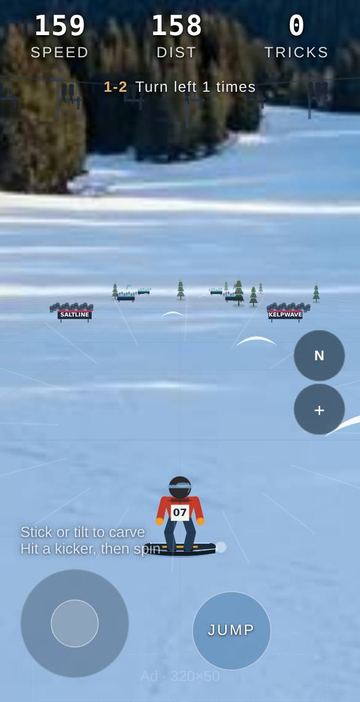
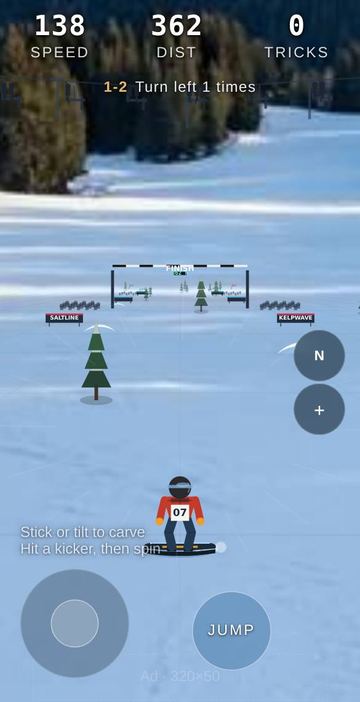
Snowboard drops you straight onto a run the moment the page opens. You ride toward the camera's horizon under a FROSTLINE WORLD CUP start arch, past crowds, banner walls and a chairlift, through scattered pine trees and blue kickers. There is no menu to get through first: steer, jump and see how far and how cleanly you can go.
Four resorts change the backdrop: Alps, Dolomites, Swiss and Hokkaido, where snow falls on the course. Three difficulty levels change the slope itself. Easy is 1000 m long with sparse trees and lots of kickers, Normal is 1300 m, and Hard is 1600 m of steeper, tighter terrain with a stricter landing window.
How to play
- The run starts automatically. Your speed, distance in metres and trick count sit across the top of the screen.
- Push the round stick in the bottom-left corner left or right to carve, or just tilt the phone. The deeper the input, the harder the turn, and hard carving scrubs a little speed.
- Ride over a blue kicker to launch. Press JUMP just before it for extra height.
- In the air, keep steering to spin. Hold JUMP to grab the board.
- Land close to a multiple of 180 degrees to score a trick. Reach the end of the course to see your distance, top speed, tricks and falls, then tap Ride again.
Controls
| Action | How |
|---|---|
| Carve left / right | Drag the on-screen stick (touch or mouse), tilt the phone, or Left / Right arrow keys |
| Jump | JUMP button or Space, pressed as you reach a kicker |
| Spin | Keep steering while airborne |
| Grab | Hold JUMP or Space while in the air |
| Menus | ⓘ how to play, ♪ music, difficulty button, + for menu (resort, motion steer level, lessons, restart) |
Rules
- A spin counts only if it reaches at least 180 degrees and you land within the window of a multiple of 180: 62 degrees on Easy, 48 on Normal, 36 on Hard.
- Grabbing widens that landing window by 14 degrees. A straight air with a grab also counts as a trick.
- If you rotate more than 105 degrees but miss the landing window, you wipe out.
- Hitting a tree wipes you out and drops your speed sharply for over a second. It also resets your clean distance and your landing streak.
- The run ends when you reach the course length for the chosen difficulty.
Tips
- You launch off a kicker even without pressing JUMP, but the pop adds a lot of height, which gives more time to rotate.
- Start steering before takeoff: your carve at the lip already sets some spin.
- If the rotation looks short, hold the grab. The wider window can save the landing.
- Threading between two trees counts as a gap, which one of the lessons asks for.
- In the menu, motion steer has Off, Low, Mid and High. Tilt and stick work together; Off leaves the stick alone.
FAQ
Is there a start screen?
No. The page opens straight into a run. Use + then Restart, or Ride again on the result screen, to go again.
What are lessons?
42 goals in six groups: Basics, Carving, Air, Spins, Precision and Mastery. Examples are Ride 100 m, Reach 80 km/h, Land a 540 spin and Two 720s in one run. The current goal shows under the top bar.
Can I play with a keyboard?
Yes. Arrow keys carve and Space jumps and grabs.
Is there a multiplayer mode?
No. This is a solo ride.
Which languages are available?
English, Chinese and Korean.
 Mountain Trail MTB
 Clay Shooting
 Steppe Horse Archery