How to play Ping Pong
Free to play in your browser - no install, no download.
Play now ▶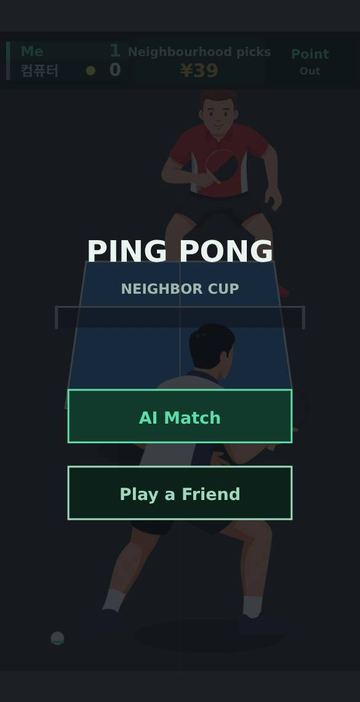
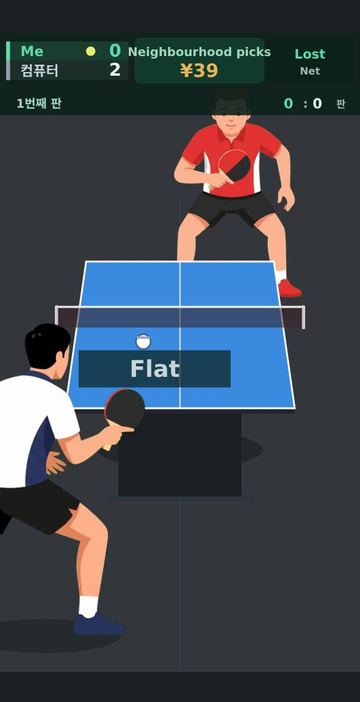
Ping Pong puts a 2.74 m table in front of you, seen from behind your own player, with the opponent on the far side of a 15.25 cm net. You do not steer your player or time the stroke: moving and hitting happen on their own. What you decide is the kind of shot and where it goes, and you decide it with a single swipe.
There are four shots, and each one flies differently. Flat is the quickest, topspin comes over the net on a higher arc, chop is the slowest and stays low, and sidespin curves sideways through the air. The label of each shot pops up next to the player who played it, so you can read what is coming at you.
How to play
- On the start screen choose AI Match to play the computer, or Play a Friend to open a room.
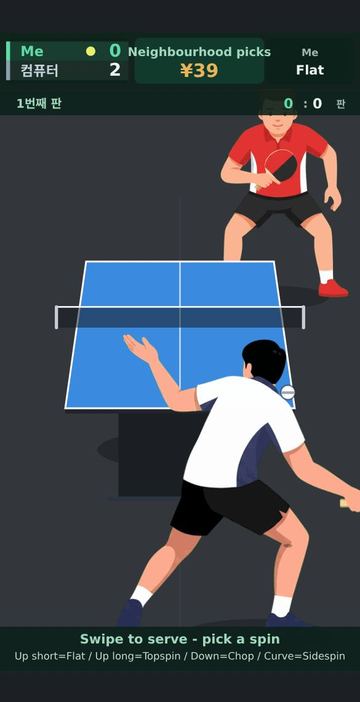
- The computer serves first. When the serve is yours, a hint appears at the bottom of the screen: swipe to serve and pick the spin with your swipe.
- When the ball is travelling toward you, swipe to set your return. If you do not swipe, your player simply plays a flat ball.
- Swipe straight up and short for flat, up and long for topspin, downward for chop, and along a curved path for sidespin. The sideways part of the swipe sets the direction, and a longer upward swipe sends the ball deeper.
- The score sits in the top-left panel, with a small ball marking who serves next. When the match is decided, tap the screen to start again.
Controls
| Action | How |
|---|---|
| Flat | Tap or short swipe up (touch or mouse) |
| Topspin | Long swipe up, more than about a fifth of the screen height |
| Chop | Swipe down |
| Sidespin | Swipe along a curve instead of a straight line |
| Aim left or right | Tilt the swipe sideways |
| Serve | Swipe when it is your serve |
| Play again | Tap the screen after the match ends |
Rules
- A game is played to 11 points and must be won by 2 clear points.
- Service passes to the other player every 2 points. From 10-10 it changes after every point.
- Serves go diagonally, and the serving side switches with every point played.
- A ball that lands off the table is out, and a ball that stops in the net is a net. Either way the point goes to the other player. A red cross marks where an out ball landed, and the edge it crossed lights up.
- The spin you meet matters. Returning a chop with a flat shot goes into the net far more often than returning it with topspin. Aiming close to the sidelines or very deep also adds a little risk.
Tips
- Against a chop, answer with topspin. In this game a flat ball against chop is the most error-prone choice.
- You can swipe as soon as the ball starts toward you. You do not need to wait until it reaches your player.
- A medium upward swipe aimed near the middle is the safe return when you are behind in a rally.
- Use sidespin to pull the opponent wide, but keep the swipe inside the table width, because very wide aims miss more often.
FAQ
Do I have to move my player?
No. Your player moves along the table and hits the ball automatically. You only choose the shot type and direction with your swipe.
What happens if I do not swipe?
Your player returns a flat ball toward the middle of the table.
How do I play with a friend?
Tap Play a Friend. A four-character room code appears with a note to send the page address to your friend. When the friend opens that link, both of you join the same room, and each phone shows its own player at the bottom of the screen.
Who serves first?
The computer or the other player serves first. After that, service changes every 2 points, and every point from 10-10.
Which languages does it support?
The text on screen can be shown in English, Korean or Chinese. On this site the page follows your browser language, and adding ?lang=en or ?lang=ko to the address picks one directly.
Do I need to install or sign in?
No. It runs in the browser on a phone or a computer with nothing to install.
 Driving Range
 Pool & Carom
 Tennis
 Badminton